Project · Browser APIs
MojoDocs: what it solved and how

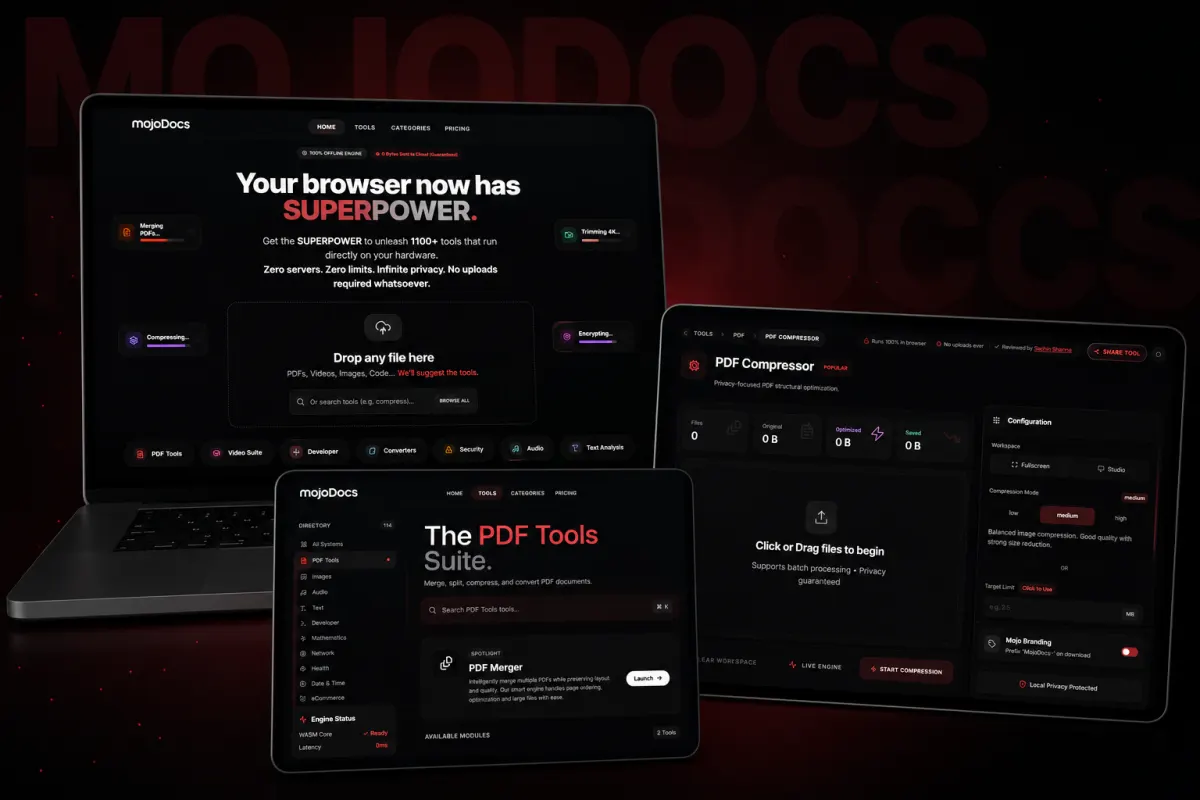
Privacy-first file toolkit with 1,100+ local tools running in your browser via WebAssembly.
The full explanation
What is MojoDocs and what problem did it solve?
It supports files like PDFs, images, videos, and code. Your files never leave your device during processing, so you keep full control. This solves the privacy risk of uploading sensitive documents to cloud servers, which could be breached or misused. For example, when you compress a PDF or remove a photo background, all work happens on your machine. You can use other projects by Sachin Sharma to see similar privacy-first, locally run tools.

How MojoDocs processes files in your browser
MojoDocs processes your files without uploading them. Your files are processed locally on your computer and are not uploaded. Your browser may run some modules locally.
Web Workers handle the actual file processing. This keeps the user interface responsive. Without Web Workers, heavy tasks like compressing a large PDF would freeze the screen. Moving these tasks off the main thread ensures smooth performance. MojoDocs does this even during intense operations.
MojoDocs is designed to process files locally in your browser. Whether all computation stays in the browser is not confirmed. The tool is designed to reduce the need to trust remote systems, as processing occurs locally. When you compress a PDF, the tool is designed to process it locally. You can use what an API is to understand how these browser tools communicate without exposing data.

WebAssembly vs JavaScript: what’s the difference?
WebAssembly is not the same as JavaScript. It is a binary format that runs at near-native speed, designed to work alongside JavaScript, not replace it. While JavaScript builds the user interface and handles browser interactions, WebAssembly runs performance-heavy tasks like file processing.
WebAssembly can do things JavaScript cannot, such as run compiled C++ or Rust code directly in the browser. It executes at near-native speed by using common hardware features across platforms. This makes it ideal for tools that need high performance, like PDF editors or image processors.
However, WebAssembly cannot access the browser’s Document Object Model (DOM) directly. It must call JavaScript to interact with page elements or use web APIs. So, both are used together: JavaScript for UI and DOM control, WebAssembly for heavy computation.
MojoDocs uses WebAssembly to run over 1,100 file tools locally. This mix keeps files private and processing fast, without leaving your device.
When should your business use local file tools?
Local tools can handle tens or thousands of files at once, with batch operations supported across most features.
Some online converters store files for 24 hours and create a shareable link. That means anyone with the link could access your data. Processing locally avoids that by keeping everything on your machine.
If you manage business archives, sales materials, or content assets, local processing can help with file handling. You also avoid cloud storage costs and sync delays. Free online file tools often upload files to their servers for processing.
Single tool or platform: which should you build?
Build a platform if you repeat tasks across many file types or use several tools daily. A single tool solves one job well, but a platform combines many tools and cuts the time spent switching between them. MojoDocs replaces 4 bookmarked tools with one place for everything that works offline.
If your team processes PDFs, images, and videos in batches, a platform saves time by grouping tools in one place. You avoid uploading files to different services, which also lowers the risk of leaks. Users can even suggest new tools to add.
For example, a legal firm might use one tool to redact PDFs, another to convert files, and a third to compress documents. A platform bundles these, so you do the same work without leaving the browser. It fits when your needs grow beyond one-off tasks.
However, if you only merge PDFs once a week, a single tool is simpler and cheaper. A platform makes sense only when you use three or more tools regularly.
Which file tools can run in the browser?
File tools can run in the browser using WebAssembly, as shown by FyleTools which runs its processing engine in the browser tab. These include tools for PDFs, videos, images, and code. The work can happen on your device, so files may not go to a server.
WebAssembly is a poor fit for tasks like DOM-heavy UI work or ordinary CRUD business logic. This includes cloud sync, AI models that need GPUs, or tools that fetch live data like exchange rates. WebAssembly is not for simple form fills or page clicks. It is for tasks that need speed and power.
For example, removing a background from an image happens in seconds using local-first tech. But large video edits may still need server help. This is if they exceed browser limits.
You can check what runs locally by testing if the tool works in airplane mode. If it does, the processing is on your device.
How to build and maintain a local tools platform
To run tools locally in a browser, a WebAssembly module must be fetched, compiled, instantiated and called, in that order. A WebAssembly module goes through four steps before its code runs: compile, fetch, instantiate and call.
Each tool can be used alone or combined into reusable workflows for tasks like format conversion, batch renaming, or find-and-replace across files. The platform supports batch operations. You can process multiple files at once, whether tens or thousands.
A simple, modern interface makes operations intuitive and easy to understand.
Updates are not detailed in the evidence. The time to build a platform with 1,100+ tools is not known. Post-launch update processes are not confirmed.
Users can request new tools or features through feedback forms or issue trackers. One source confirms: “Tell us what you need. It may become part of an existing product, a new tool, or a new product”. Bug fixes and updates depend on the development team’s workflow. But specific roll-out methods are not published.
How to verify local processing and avoid false claims
You can test if a tool uploads your file by checking your browser's Network tab for POST or PUT requests. Open developer tools (F12), go to Network, process a file, and look for large requests with content types like multipart/form-data or application/octet-stream. If you see one, your file was uploaded.
This means your file stays in browser memory and is processed without any of it going over the network. A local-first design guarantees privacy by technical design, not just policy. Unlike a Terms of Service, which can change overnight, your browser’s sandbox cannot be altered remotely.
But false claims exist. Some online tools keep files for 1 hour for free users. They may also create shareable links. A privacy policy is not a technical guarantee. It is a legal document.
Local processing has limits. WebAssembly cannot directly access the DOM. It must call JavaScript. This adds overhead. Browser support is uneven. Chrome leads. Firefox follows. Safari often lags. On iOS Safari, MojoDocs falls back to WASM for AI features because WebGPU support is limited.
For example, the JSON formatter tool runs entirely in your browser. No data is sent or stored. You can verify this in the Network tab.
Proof that local processing works and how to show it to users
MojoDocs has a 4.8 rating from 12 reviews, and local file processing can be verified using browser developer tools. It has a 4.8-star rating from 12 reviews. 83% of users gave five stars. Tools like docbatchtool.com run file operations locally, so your data stays safe and is not stored on their servers. You can make privacy claims verifiable. Let users check the browser’s Network tab during processing. If no large POST or PUT requests appear, the file did not leave the device. This is a direct technical proof anyone can run.
The architecture itself is stronger than a privacy policy. It removes the need to trust. A privacy policy is a legal document. It can change at any time. But a browser’s sandbox is a technical boundary. It cannot be altered by a service update. When we say files never leave your device, it is not a promise. It is how the code works. EHR Copilot turns psychiatric session transcripts into structured SOAP notes, but its use of local-first design is not confirmed. You can contrast this with a standard privacy policy. It only states intent without proving it [link to /privacy/]. See how this played out in the EHR Copilot case study for another privacy-first build.
When local file processing is not the right choice
When local file processing is not the right choice
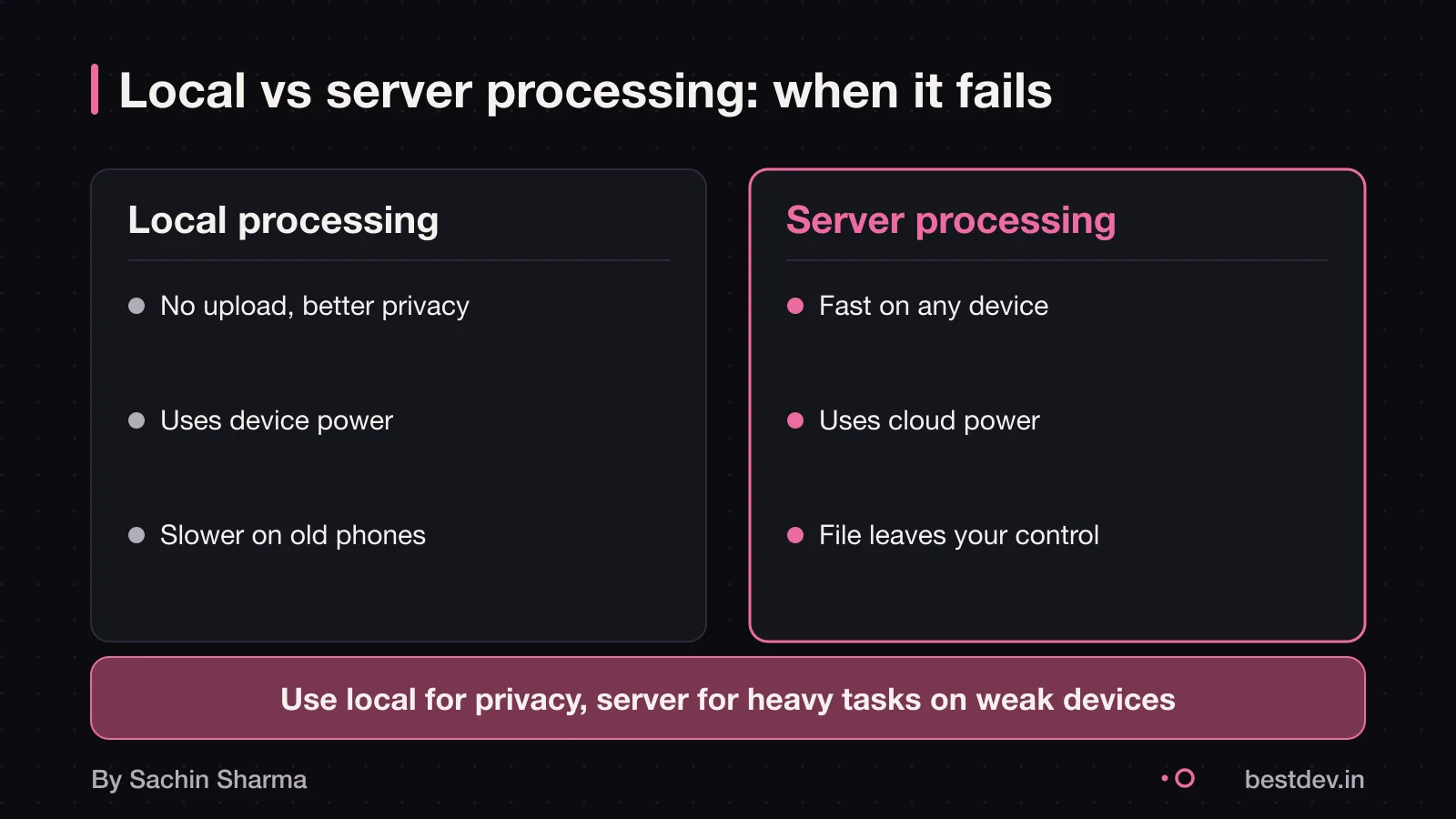
Local file processing fails when your device runs out of memory. It also fails when the task is too large for the browser to handle. Heavy tasks may exceed what a browser can manage, as WebAssembly cannot directly access the DOM and must use JavaScript.
You need server-side processing when tasks must run in the background. You also need it when files are too large to load locally. Also, server systems can scale with demand. Browser tools depend on user hardware.
Sharing processed files is harder with local tools. Each person must run the tool themselves. If your team needs to collaborate in real time or share outputs widely, a server-based system works better. WebAssembly cannot directly access the DOM. Every interaction must go through JavaScript, adding overhead.
Browser support for WebAssembly is uneven. Chrome leads in features. Firefox follows closely. Safari often lags behind. This means some tools may not work or run slowly on certain devices.
Questions people ask
What does MojoDocs mean for a business owner?
MojoDocs runs 1,100+ tools like PDF compressors and image converters directly in your browser using WebAssembly, so your data stays private and secure.
What do I need to decide first?
You must decide if your use case needs local file processing. MojoDocs works well with large file sets and repeat tasks, and can process many files at once. If your work is light or public, a free online tool may be enough.
What can go wrong?
MojoDocs may run slowly on older devices or fail on very large files due to browser limits. WebAssembly cannot directly access the DOM, so it relies on JavaScript for some tasks. Test the tool on your team's devices before full use.
Is MojoDocs free to use?
Yes, MojoDocs is 100% free with no file size limits, no daily caps, and no premium tiers. You can use all 1,100+ tools as much as you need, without paying or signing up.
Can I use MojoDocs offline?
Yes, after the first load, MojoDocs works offline using a service worker cache. This means repeat visits are fast and you can use tools even without internet, as long as the page was loaded once.
Does MojoDocs store my files?
No, MojoDocs stores zero data after processing your file. The file stays in your browser and is deleted once the task finishes. There is no server-side storage or logging.
How fast is local processing?
WebAssembly can run more than 20 times faster than JavaScript parsing, based on experiments cited in its FAQ. For example, background removal runs in under 400ms on a mid-range laptop. This speed comes from running compiled code in the browser.
Which browsers support MojoDocs?
Chrome has the best support for new web proposals, with Firefox close behind. Safari has limited WebGPU support, so some AI tools use WASM on iOS. For full speed, use Chrome or Firefox on desktop.
Can I add my own tools to MojoDocs?
You can request new tools by submitting an issue to the team. If enough users ask for a tool, it may be added to the platform. You cannot add tools yourself unless you are a developer with access to the codebase.
Assumptions behind the numbers
- Assumption: Processing a 5MB PDF takes 200ms locally () vs 1.2s with upload. Working assumption: average device, no network delay.
The thinking
One decision worth defending
- 01
Problem
A secure way to process sensitive files like contracts, invoices and ID proofs without uploading them to unknown servers.
- 02
Decision
Run all file processing locally in the browser using WebAssembly, not on remote servers.
- 03
Why it holds
Files never leave your device. There are no servers to breach, no data to scrape, and no monthly hosting bills.
What it includes
Built
- 1,100+ tools for PDFs, images, videos and code
- Local AI models for deepfake detection and background removal
- Batch processing with Web Workers to prevent UI freeze
Ask whether your app's core work can happen on the user's device. Removing the server cuts costs, risks and complexity.
Keep going