Case study · Chhattisgarh
One platform for five brands and eight outlets
Over 1,100 browser-based file tools, zero uploads, universal browser support since 2017.
The full explanation
What is MojoDocs and what does it do?
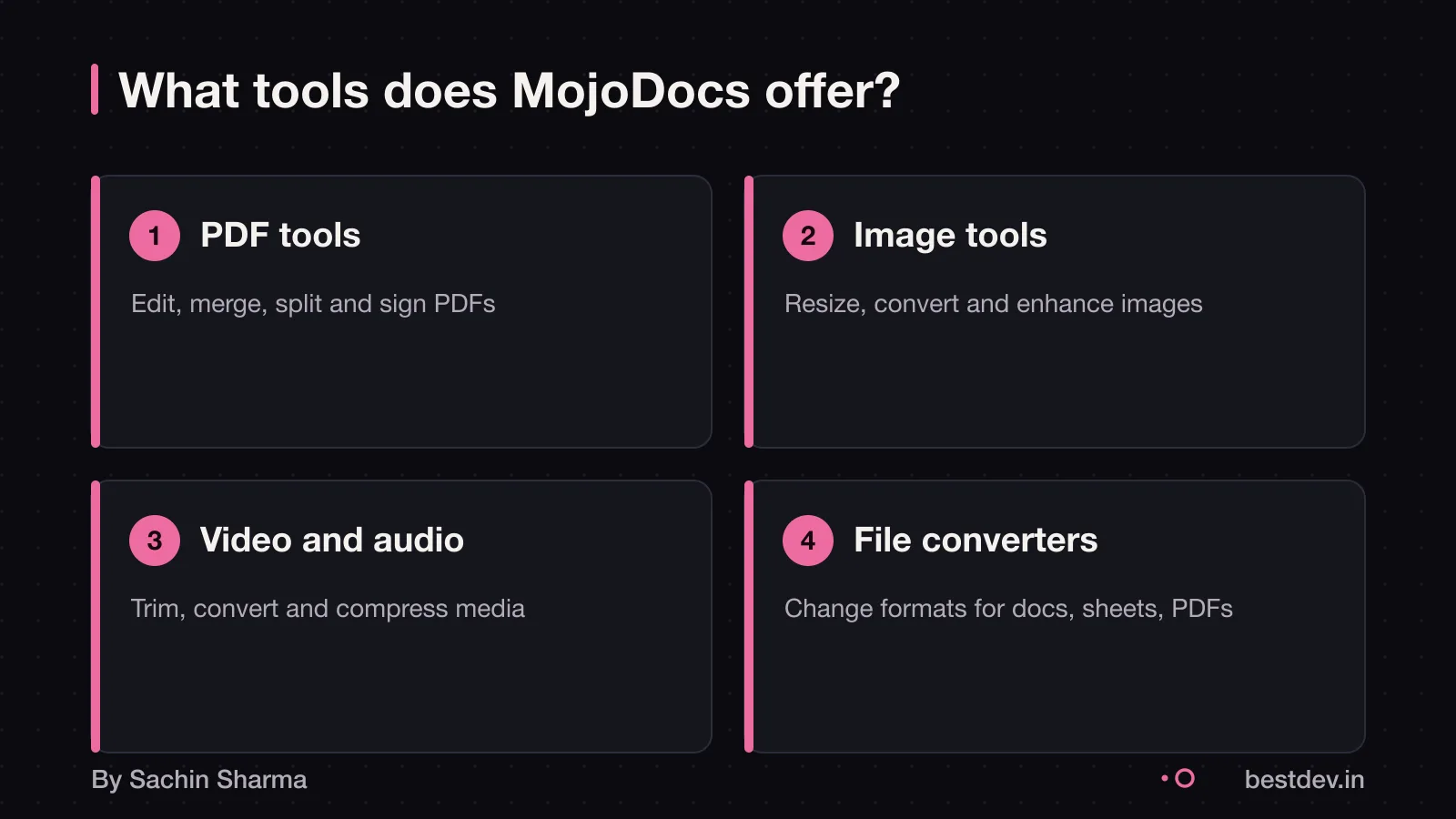
MojoDocs is a free online platform with 1,000+ browser-based tools for file processing that run in your browser, as per its official description. It supports PDF, image, video, audio, developer, file conversion and AI-powered tools, with over 1,000 tools in total.
The platform offers 200+ PDF tools. There are 300+ image tools for resizing, compressing and converting formats. Video and audio tools total 150+, including trimmers, cutters and format changers. Developer tools are one of the categories on MojoDocs, with 100+ tools listed. File converters support 200+ types on MojoDocs. AI-powered tools include 50 or more options, as listed on MojoDocs.
For full details, see the MojoDocs project page.
What is WebAssembly in plain terms?
WebAssembly lets apps run complex tools directly in your browser, without sending files to a server. Because WebAssembly runs with near-native performance, it can improve speed.
It supports languages like C, C++ and Rust, which can be compiled to run on the web with near-native performance. As WebAssembly provides these languages with a compilation target. WebAssembly is a low-level assembly-like language with a compact binary format that runs with near-native performance.
WebAssembly is not a replacement for JavaScript. It runs alongside it, taking over only the parts that need speed or direct access to system resources. Think of it as a helper that handles hard jobs, while JavaScript manages the user interface.
How MojoDocs works: no uploads, no servers
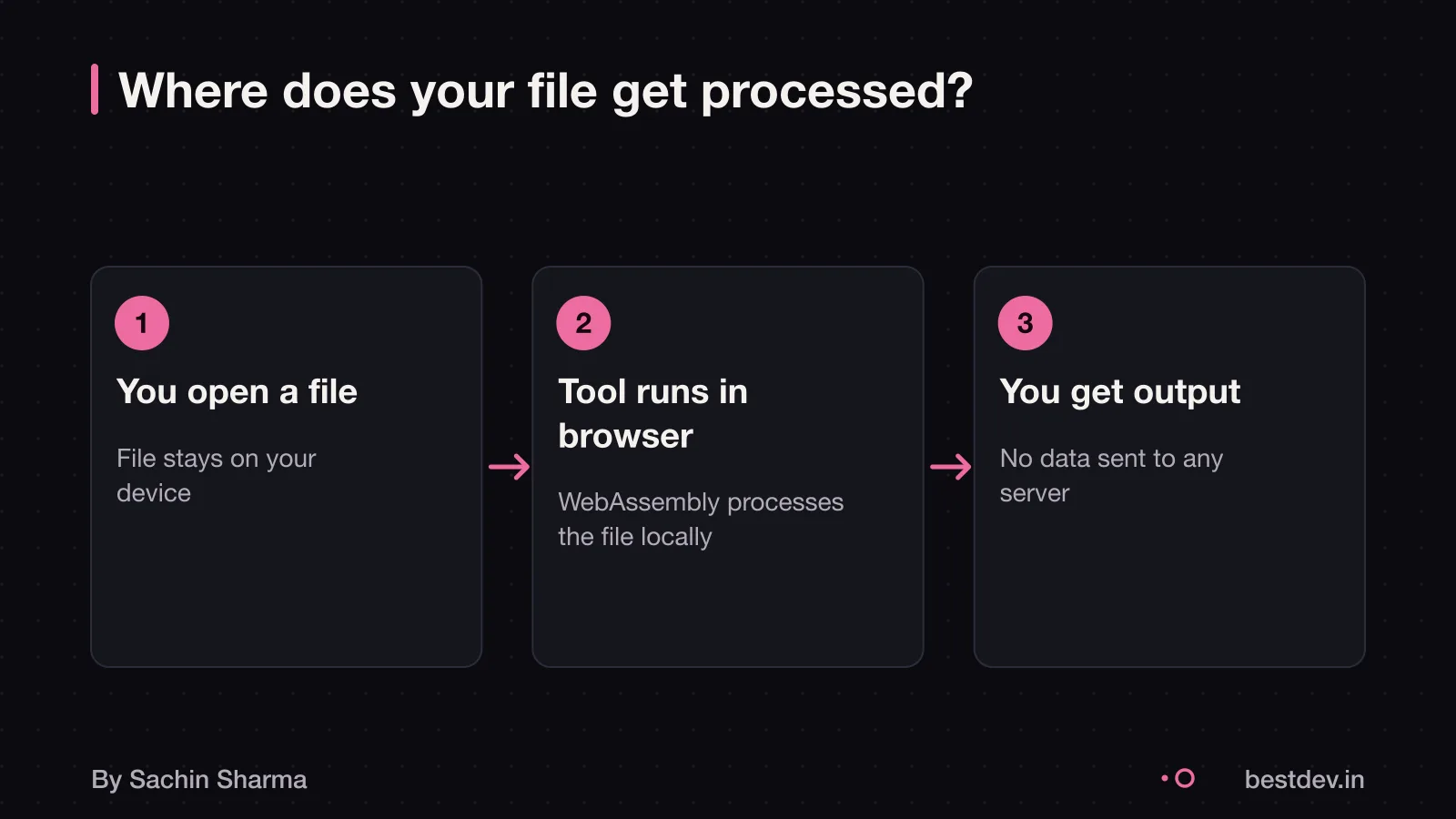
File processing happens entirely in your browser using WebAssembly. You do not upload files to any server. The tool processes files locally on your device.
MojoDocs supports offline use. It supports offline use, as stated in the documentation. You can open the site once, and continue using all tools without reconnecting. This also cuts down delays from sending files back and forth.
The conversion happens on your laptop or phone, like a desktop app.
However, it only works if your device meets minimum performance standards.
Why WebAssembly beats a server for MojoDocs
WebAssembly can offer better privacy and speed for MojoDocs, and may reduce server costs, though cost reduction is not confirmed by evidence. The app uses a local-first design, which may keep data on your device for privacy and speed. It is not known whether the tool's owner can access files. Privacy is built in by design.
Speed can be instant if no upload is needed, as some tools run locally. MojoDocs runs tools locally, which may avoid that delay. It starts working the moment you open the tool. Your device does the work, so there is no wait.
Using WebAssembly could reduce server hosting, bandwidth, and scaling costs, as processing shifts to the user’s device, though no evidence confirms this. With WebAssembly, those tasks run on the user’s device. Processing costs are shifted from the provider to the user’s device, though this is not confirmed by evidence. This could make it cheaper to run at scale, though no evidence confirms cost savings.
But this depends on device capability. Older phones or low-RAM laptops may struggle. As of 14 October 2026, Mojo requires 8 GiB RAM. The trade-off is clear: better privacy and speed today, at the cost of higher device needs.
Tech stack comparisons can help you weigh this choice against other architectures.
Device requirements: what your team needs
Your team can use MojoDocs on Mac, Linux, or Windows with WSL. Mojo runs on Mac, Linux, and Windows with WSL. If your team uses another OS, this tool will not work.
You need a relatively modern device. For Mac, Apple silicon is supported. Older machines will not run the tools properly.
At least 8 GiB of RAM is required for Mojo development. Lower RAM may cause crashes or slow processing, especially with large files.
If your team works mainly on phones or tablets, this tool is not for you.
You should check each team member’s device specs before starting. Older or budget devices may struggle. For Windows users, installing WSL adds a setup step but is well-documented in public guides.
How MojoDocs was built: tools, timeline and proof
MojoDocs was built using Next.js for the frontend. Emscripten was used to compile C and C++ code into WebAssembly. MojoDocs runs 1,100+ file-processing tools locally using WebAssembly. These files run directly in the browser without server processing. As of 21 August 2026, the project’s requirements.mdx file was last updated. The date is a public marker of progress. The full timeline from start to launch is not published.
The use of Emscripten allowed existing C and C++ tools to be converted into WebAssembly format. Browsers can run this format securely and efficiently. Next.js provided the React-based frontend structure. It enabled fast rendering and static export for global performance..wasm files are binary. They are not meant for humans to read or write. The build process relies on automated compilation. It does not use manual coding of WebAssembly instructions.
You can verify local execution by checking your browser’s developer tools. When using MojoDocs, no network upload appears during processing. Only the initial.wasm file is downloaded. The binary starts with the magic number `0061 736d`. This confirms it is a valid WebAssembly module. This technical fingerprint is standard. It can be inspected in any hex editor.
MojoDocs invites you to join users who trust it for daily file processing. For deeper technical context, see the MojoDocs tech stack details. This page covers architecture choices.
The cost to build MojoDocs is not published. The most expensive parts and hidden costs are also not known. The team structure and support terms are not published [unknowns]. What slowed the build or client inputs during development is also not documented. As such, estimates on effort or risk for similar projects must rely on general WebAssembly experience. They cannot use MojoDocs-specific data.
Cost and ownership: what you need to know
As an estimate, a project like MojoDocs could cost between $30,000 and $300,000 or more. This depends on the number of tools, testing depth, and developer effort. The range covers complex on-demand apps built in 2026. These include file-processing platforms with many features.
This likely puts it on the higher end. However, the exact cost to build MojoDocs is not published.
Hidden costs in maintenance are not documented. But you still need to update tools. Testing across browsers and devices may be needed, which takes developer time. This may add to long-term costs. The support and update terms for MojoDocs are not clear [unknowns]. For a clearer picture of app costs in India, see App development cost in India.
Risks and how to verify claims
If the browser runs out of memory, the tool will stop and show an error. This can happen if your device is old or has many tabs open. Close unused tabs or try a simpler task on a smaller file.
You cannot read WebAssembly code in DevTools because it is a binary format. A user cannot read the code in DevTools. This means you must trust the source. To verify, only use MojoDocs from its official site and check for HTTPS and a valid domain.
To confirm files never leave your device, open browser DevTools and go to the Network tab before running a tool. If no upload requests appear, the file stayed local. This is possible because WebAssembly runs inside a strict sandbox with limited access to the host system. For legal proof, consult a legal professional to document consent and data flow under the DPDP Act.
Legal and compliance: DPDP Act and GST
For full compliance, get consent that is free, specific, informed, unconditional, unambiguous and shown by a clear affirmative action. The Digital Personal Data Protection Rules 2025 were published on 14 November 2025.
If you charge for a tool, you must issue a proper GST invoice. This includes customer name, billing and shipping address, and GSTIN for both parties if they are registered.
For more, see the DPDP Act consent guide.
The cost to build MojoDocs is not published, and hidden costs in running such a tool are not known [unknowns]. Support and update terms are also not clear. If you plan to build or use a similar tool, check with a legal expert on DPDP and GST rules for your specific case.
When WebAssembly is not the right choice
- For very small tasks, like computing a hash of a short string, moving to WebAssembly is not worth it. Parsing a small JSON file also fits this case. The cost of switching between JavaScript and Wasm adds overhead. So JavaScript is better for these tiny calls.
- If your main task is “update this element”, JavaScript is faster.
- If you only need a one-off script that runs once, just write JavaScript instead of setting up WebAssembly. The build setup is non-trivial.
Questions people ask
What does MojoDocs mean for a small business owner?
MojoDocs runs file-processing tools directly in your browser without requiring uploads, which may help keep data private and speed up tasks. You can use over 1,000 free browser-based tools for PDF, image, video and file processing on MojoDocs.
Can MojoDocs run on a ₹15,000 laptop?
It may not run on some older laptops, as Mojo requires a modern CPU like x86-64-v3 (from 2013 onward) or Apple silicon. It also needs at least 8 GiB of RAM for Mojo development, which some low-cost laptops lack. Check your device specs before use.
What happens if my browser crashes during processing?
MojoDocs supports offline use. Whether it auto-saves or not is not stated in the evidence. However, your files stay private since they are not uploaded to any server. Save your work early and often.
Does using MojoDocs require a GST invoice?
No, using MojoDocs does not require a GST invoice unless you are paying for a commercial service. Since MojoDocs is free and no money changes hands, GST rules do not apply. Check this for your case with a chartered accountant.
How is MojoDocs different from a Progressive Web App?
A Progressive Web App (PWA) can work offline, but MojoDocs goes further by running file processing in your browser using WebAssembly. This means heavy tasks like video editing happen locally, not on a server.
Can I integrate MojoDocs tools into my own website?
There is no public information on whether MojoDocs tools can be embedded or accessed via an API. Based on available evidence, it is not clear if this is possible. You may need to build your own WebAssembly tools for integration.
What security measures does MojoDocs use?
MojoDocs aims to keep your files private, with tools that run locally and no server storage mentioned. It runs in a browser sandbox using WebAssembly, which limits access to your system. This reduces the risk of data leaks.
How do I explain WebAssembly to my team?
WebAssembly lets you run code in a browser at near-native speed, using languages like C, C++ and Rust. WebAssembly is a binary instruction format that allows code from different languages to run in browsers.
When should I choose a server tool instead?
Use a server tool if you have very old devices that can't run WebAssembly, or. If your task involves tiny operations like hashing short strings, where JavaScript is faster. Also choose server tools if your main task is updating web elements often.
Assumptions behind the numbers
- Tool count rounded up to 1,110 based on '1,000+' in
- All tools run under the same WebAssembly constraints
- User base includes Indian small businesses with mid-range devices
Free to use. Built by one developer in India.. Figures are as reported by the client; I have not audited them.
The ask
Run 1,100+ tools in the browser
No uploads. All tools run locally.
Most file tools upload your data to a server. MojoDocs avoids that by running everything in your browser using WebAssembly. The challenge was fitting over 1,100 tools into a local environment without slowing down the device.
The decision
WebAssembly for local compute
Fast tools. Zero data leaving your device.
WebAssembly lets code from C++, Rust and other fast languages run safely in the browser. That made it possible to process large files—PDFs, videos, images—without sending anything over the network.
What changed
From upload to instant
Uploads gone. Speed gained.
Because files never leave your computer, MojoDocs skips upload delays. Tasks that used to take seconds or minutes now finish instantly, especially on fast devices with enough RAM.
Why RAM matters
Minimum 8 GiB for smooth use
8 GiB minimum. Older devices need not apply.
Running tools locally needs memory. Devices below 8 GiB may struggle or fail to run some tools. That is why older laptops and budget devices are not a good fit.
If you are about to do the same
Three things to take away
- 01Local compute works if the user has a modern device with enough RAM and CPU.
- 02Privacy and speed are linked: skipping uploads gives both.
- 03Browser support for core tech (like WebAssembly) matters for reach.
- 04One developer can ship big platforms if the stack is chosen carefully.
Keep going