Service
Mobile app development in Flutter
A working web app or MVP built in stages you can test, with the code and tools handed over in your name.
The full explanation
What is a web app, and how is it different from a mobile app?
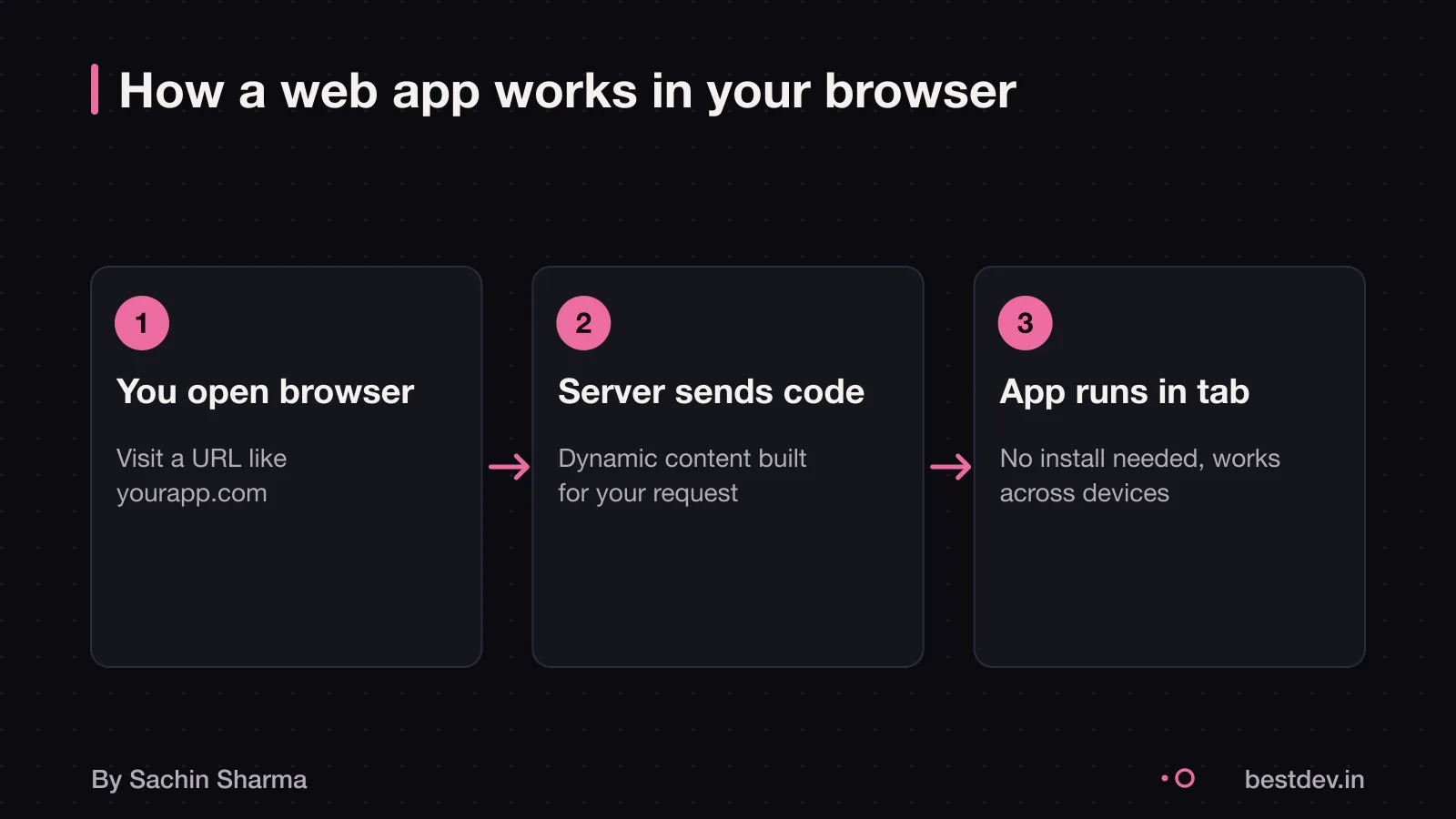
A web app is a program that runs on a server and is used through a web browser like Chrome or Safari. Unlike a website, which shows the same content to every visitor, a web app lets you interact. For example, you can type, click or upload files. It responds in real time. A website sends static pages. A web app changes based on what you do.
Web apps do not need to be downloaded or installed. You open them in a browser. With web apps, you do not have to package software for distribution and installation on client computers.
The key difference is where the app lives and how you access it. Web apps run on servers. Mobile apps live on your device. Both can look alike. But they are built and updated differently.
Knowing what an API is helps. Because web apps often use APIs to send and receive data from the server behind the scenes.
What does 'MVP' actually mean in practice?
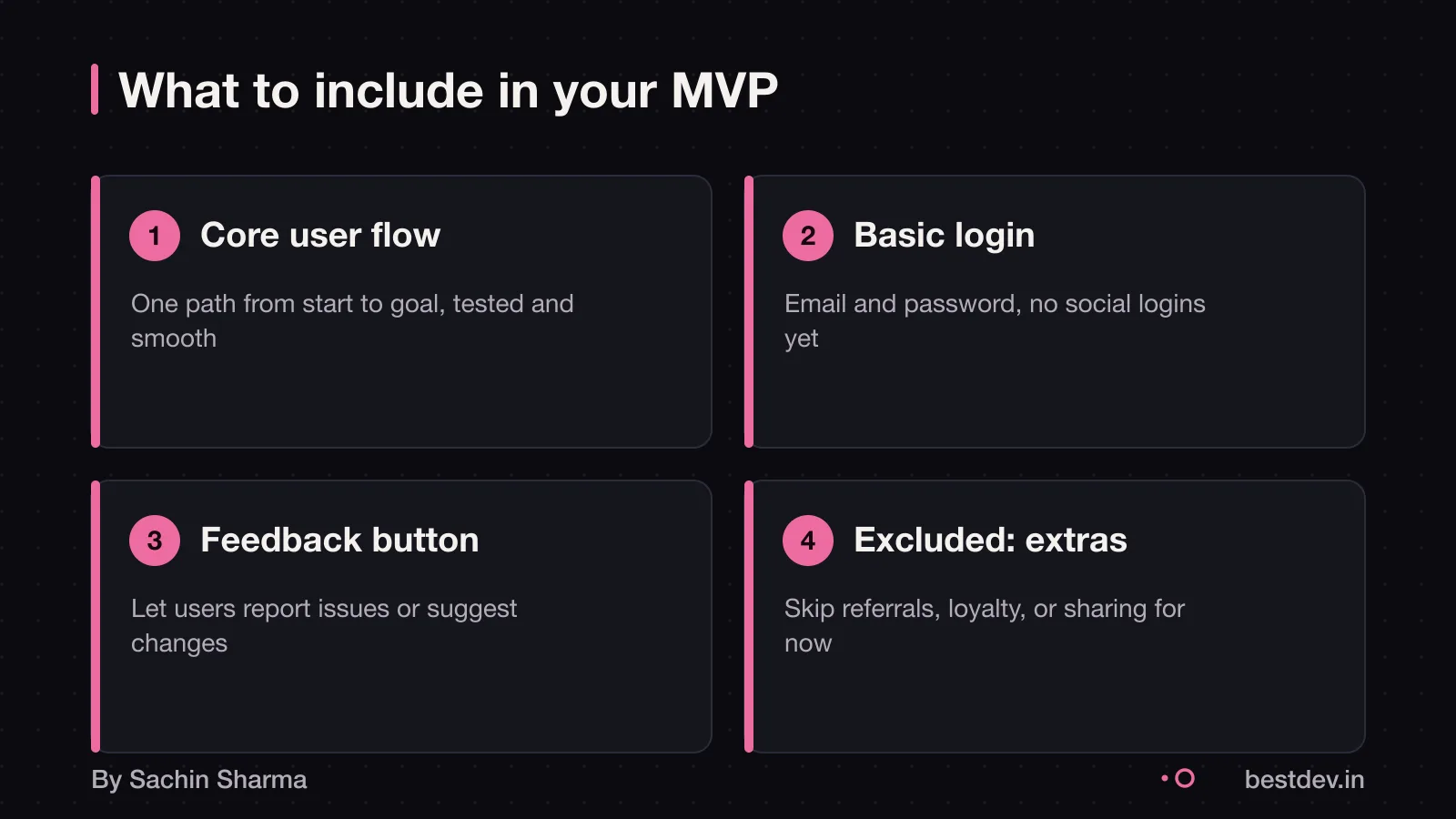
An MVP includes the core user flow that delivers your main value. It also has basic sign up and login. It has the minimum set of features needed for a user to complete that core flow. It has a way to collect user feedback, such as in-app tools or analytics. It has an App Store presence so users can find and download it. It excludes social sharing, referral programmes, loyalty points, advanced search, AI personalisation, multi-language support, and complex admin features. The goal is to test your business idea with real users.
For example, if you are building a habit tracker, your MVP lets users add a habit. It lets them mark it done daily. It lets them see a streak. It does not include sharing habits on social media or earning badges. You learn if people stick to habits before adding more features.
A common mistake is loading an MVP with extras. That raises cost and delay. Focus only on what proves your idea works.
If you are unsure whether your plan fits an MVP, ask: "What is the one thing my user must do to get value?" Build only that first.
You can when to use an AI builder instead if your need is simple and standard.
Do you really need a web app or MVP?
A web app or MVP may not be the best first step for your idea. Only proceed if you have a clear problem that needs custom software to solve it.
Test whether simpler tools can meet your need. For example, if you are tracking orders, sharing forms or managing appointments, you might use WhatsApp. Google Sheets or a no-code tool like Tally or Notion https://tally.so https://notion.so. These let you model workflows without writing code.
To check demand, build a mockup of your idea using a free tool. Share it with five potential users and ask, “Would you use this in your daily work?” If at least three say yes, your idea may be worth building.
A well-structured budget helps you avoid spending too much before testing your core idea. Start with the smallest test that gives you confidence. Move to a web app only when manual or off-the-shelf tools slow you down too much.
For examples of how small businesses digitise without full apps, see how pharmacies digitise without apps.
How much does web app and MVP development cost in India?
A Lean MVP with one core flow, web access, authentication and Razorpay costs ₹4L to ₹7L. This takes 4 to 6 weeks. It suits startups testing a single idea.
A Standard MVP has multi-tenancy, 3 to 5 user flows, an admin panel and billing. It costs ₹6L to ₹14L. It takes 8 to 10 weeks. It fits small businesses adding digital services.
A Mid-Complexity MVP includes native mobile apps or AI features. It costs ₹10L to ₹22L. It takes 12 to 16 weeks.
Hourly rates also shape cost. Junior developers charge ₹800 to ₹1,500 per hour. Mid-level developers charge ₹1,500 to ₹3,000. Senior developers charge ₹3,000 to ₹5,000.
For a clearer picture of how costs add up, see how app costs are built. It breaks down design, backend, API, and third-party tools.
How long does it take to build a web app or MVP?
A Lean MVP takes 4 to 6 weeks, as of 3 May 2026. This includes one core user flow, web access, login, and payment with Razorpay. For example, a service booking tool where users pick a slot, log in, and pay.
A Standard MVP takes 8 to 10 weeks. It supports multiple user types. It has 3 to 5 key flows. It includes an admin panel and billing. For example, a platform for clinics with doctors, patients and staff. Each has different access.
A Mid-Complexity MVP takes 12 to 16 weeks. It adds native mobile apps or AI features. These include auto-summarising user messages. For example, a legal assistant that reads case files. It suggests next steps using AI.
Project discovery adds 1 to 2 weeks. You map user needs and market gaps in this step. This step is vital to avoid building features no one will use.
AI tools like GitHub Copilot and Cursor can help a senior Indian engineer ship 1.5 to 2 times faster than in 2023. As an estimate, a senior engineer uses AI daily. Tasks like writing boilerplate code or debugging take less time. This speed gain depends on the team’s AI fluency.
For a detailed look at how timelines are built, see how timelines are built.
Is Next.js the right choice for your web app?
Next.js is a React framework for building full-stack web applications. It helps you focus on your product and ship quickly. This makes it a strong choice if your team knows React and JavaScript.
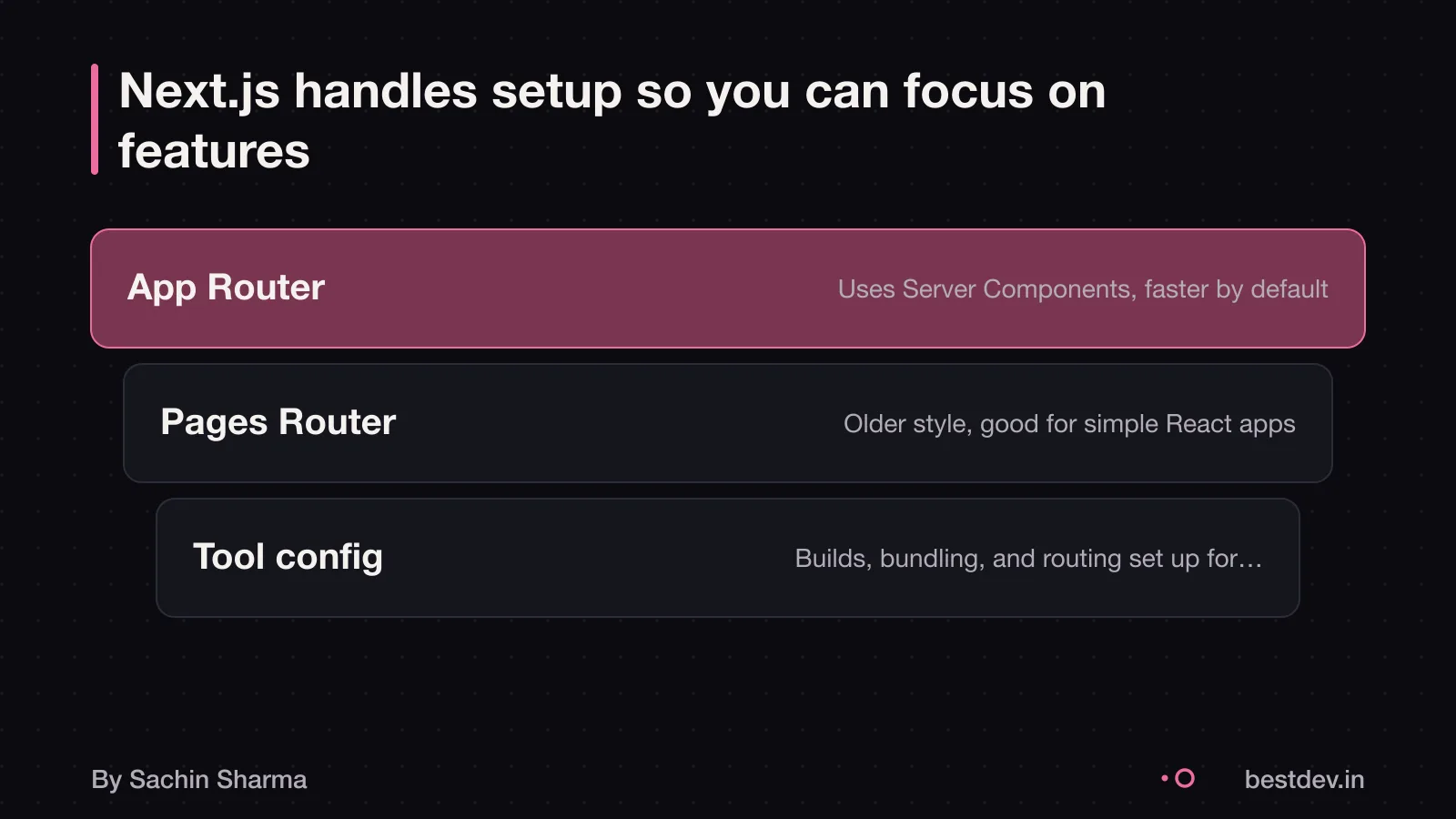
Next.js offers two routers: App Router and Pages Router. Use App Router for new projects. It supports modern React features like Server Components and uses React canary releases, which include stable React 19 updates and newer experimental features.
Use Pages Router if you are working with an existing React setup. It uses the React version in your project’s package.json file.
Do not choose Next.js if your team is not familiar with web development. The documentation assumes comfort with HTML, CSS, JavaScript, and React basics. If you are starting from scratch without this knowledge, consider simpler tools or spend time on training first.
What are the risks of building a web app or MVP?
Overspending can drain your funds before launch. This leaves no budget for fixes or marketing. It often happens when you pay for complex features too early. Examples include native mobile apps before testing demand on web. As an estimate, building iOS and Android apps from day one adds ₹4 lakh to ₹8 lakh. It also adds four weeks compared to starting with a web app.
Building the wrong thing means spending time and money on features users do not need. Many startups fail because they ignore early user feedback. Or they assume they know the market without testing. For example, adding social sharing or loyalty points to an MVP distracts from the core function. It delays learning.
Skipping testing raises the risk of bugs, poor performance, or data loss after launch. Hidden costs like hosting, compliance, or emergency fixes often emerge later. Without real-world checks, your app may not work as expected. This can happen when real users try it.
When should you not build a web app or MVP?
When should you not build a web app or MVP?
Do not build a web app if a spreadsheet or template already solves your problem. If your team is not stuck on outdated data and no complex logic is needed, software adds little value.
Do not start with an MVP if your idea is untested. Trying to build everything on day one is the single most expensive mistake in app development. Instead, validate demand with a landing page, mockup or pre-orders.
Do not build if you lack time or budget for updates. Software needs security patches, browser fixes and feature tweaks.
Skip custom software when off-the-shelf tools work, when your market need is unclear, or when you cannot support it long-term.
Questions people ask
What is a fair way to pay for web app and MVP development?
A fair way is to pay in milestones tied to deliverables, such as discovery, foundation, and core features. One project had costs of ₹50K-₹1L, ₹1L-₹2L, and ₹3L-₹5L in each phase. This spreads risk and ensures progress.
How do I know if my web app is secure?
Your web app may need to comply with rules that come into force on 01 May 2026. User Safety Measures must match the risks of your service. Check this for your case with a cybersecurity auditor.
How much does it cost to maintain a web app each year?
As an estimate, ongoing maintenance and cloud infrastructure are the biggest hidden costs in web app development. These can range from 15% to 25% of the initial build cost per year. For a ₹5L app, expect ₹75,000 to ₹1.25L annually. Track usage and scale to control bills.
What should I check before hiring for web app and MVP development?
Check that the developer shows proof of past work, uses a clear process with milestones, and agrees to hand over all code and accounts. Ask for a written agreement on ownership and support. Avoid anyone who does not let you see the code during or after development.
What happens to my code and accounts if we stop midway?
You should get access to all code written and accounts created if the project stops. Your contract should say this. Without it, you may lose control. Always use a shared repository like GitHub and ensure you own the domain, hosting, and cloud accounts.
Can I move my web app to another developer later?
Yes, you can move your web app if you have full access to the source code, documentation, and all service accounts. Make sure the code is well-documented and not locked to one platform. Ask for this in writing before work starts.
What support do I get after launch?
After launch, you may get bug fixes, performance updates, and minor feature tweaks, but only if agreed in advance. Some developers offer monthly support plans. Ask what is included, how fast issues are fixed, and how much extra changes cost.
Assumptions behind the numbers
- Lean MVP = one core flow, Razorpay, auth
- Timelines include 1–2 weeks discovery
- Team size and feature set affect cost and time
A working web app or MVP built in stages you can test, with the code and tools handed over in your name.
The deal
What is in it, and what is not
- 01Written scope and flow
Core user flow, features and integrations listed in plain language, with version two items named.
- 02Design previews
Key screens and flow drawn before code, so changes happen on paper, not in weeks.
- 03Web app built in Next.js
Full-stack web application hosted online, accessible on any device with a browser.
- 04Testable milestones
Working versions at the end of each stage, not a reveal at the end.
- 05Deployment and handover
Live URL, repository in your name, and a short guide on how it works.
How it runs
Four milestones, each one testable
- 1Scope and discovery
You can test: Agreed core flow, tech stack and feature list, including Razorpay and auth.
- 2Clickable prototype
You can test: Main user journey working with placeholder content, hosted for review.
- 3Feature complete
You can test: All in-scope features built and tested, including payments and login.
- 4Live and handed over
You can test: App deployed, domain linked, code in your repo, and keys shared.
Fit
Right for you, and not
Right for you if
- You have one clear problem and user to solve for first.
- You want a web tool that works on any device, not a mobile app.
- You want to talk to the person building it.
Look elsewhere if
- You need a complex backend or AI model trained on private data.
- You need native mobile performance or hardware access.
- You want a fixed price on a one-line brief.
Price
How it is priced
Price follows scope, not hours spent. You get a written scope first, then a price split across milestones. Assumptions: Lean MVP = one core flow, Razorpay, auth. Timelines include 1–2 weeks discovery.
Before you sign anything, with anyone
Five questions to ask
- Who exactly will build my app?
- What is not included, written down?
- What can I test at each milestone?
- Whose name is the code repository under?
- What happens if we pause halfway?
Quick answers
Questions
Why Next.js?
Next.js is a React framework that handles hosting, routing and API endpoints. It suits most business web apps and cuts setup time.
Is the app accessible on mobile?
Yes. A web app works on any device with a browser, though it won’t work offline unless designed for it.
Do I own the code?
Yes. The repository and hosting account are set up in your name from the start.
Keep going